Skip to content

Move From Manual Sales to 24/7 Multichannel Growth

Sell in-person, by phone/WhatsApp, online, and through partners—without juggling tools. Bloowatch keeps availability, payments, and sales reporting aligned in one place, so you can take more bookings with less admin and fewer mistakes.

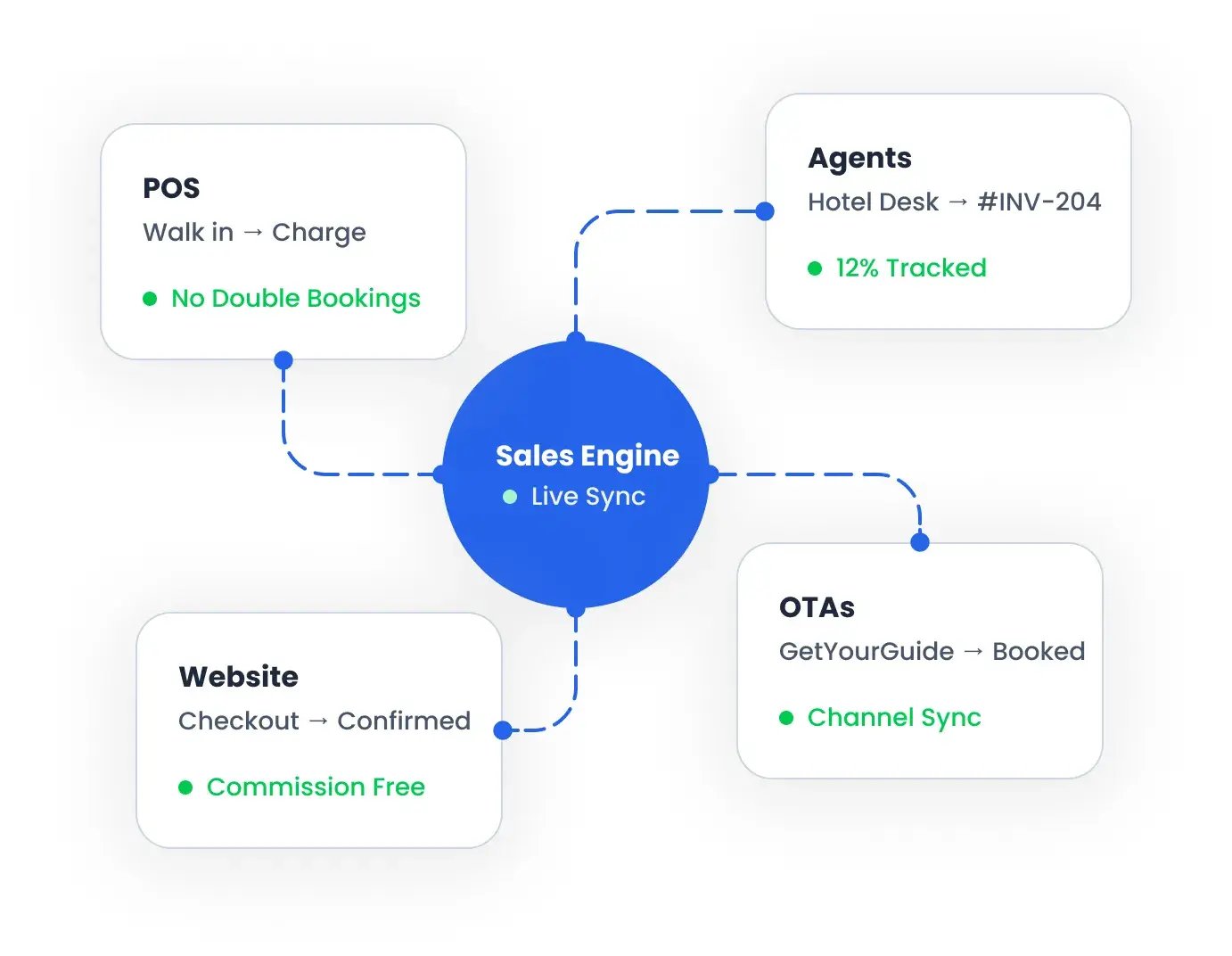
Bloowatch multichannel sales flow connecting POS, website bookings, agents, and OTAs in one synchronized booking engine.

POS & Payment Links - Close sales from anywhere.

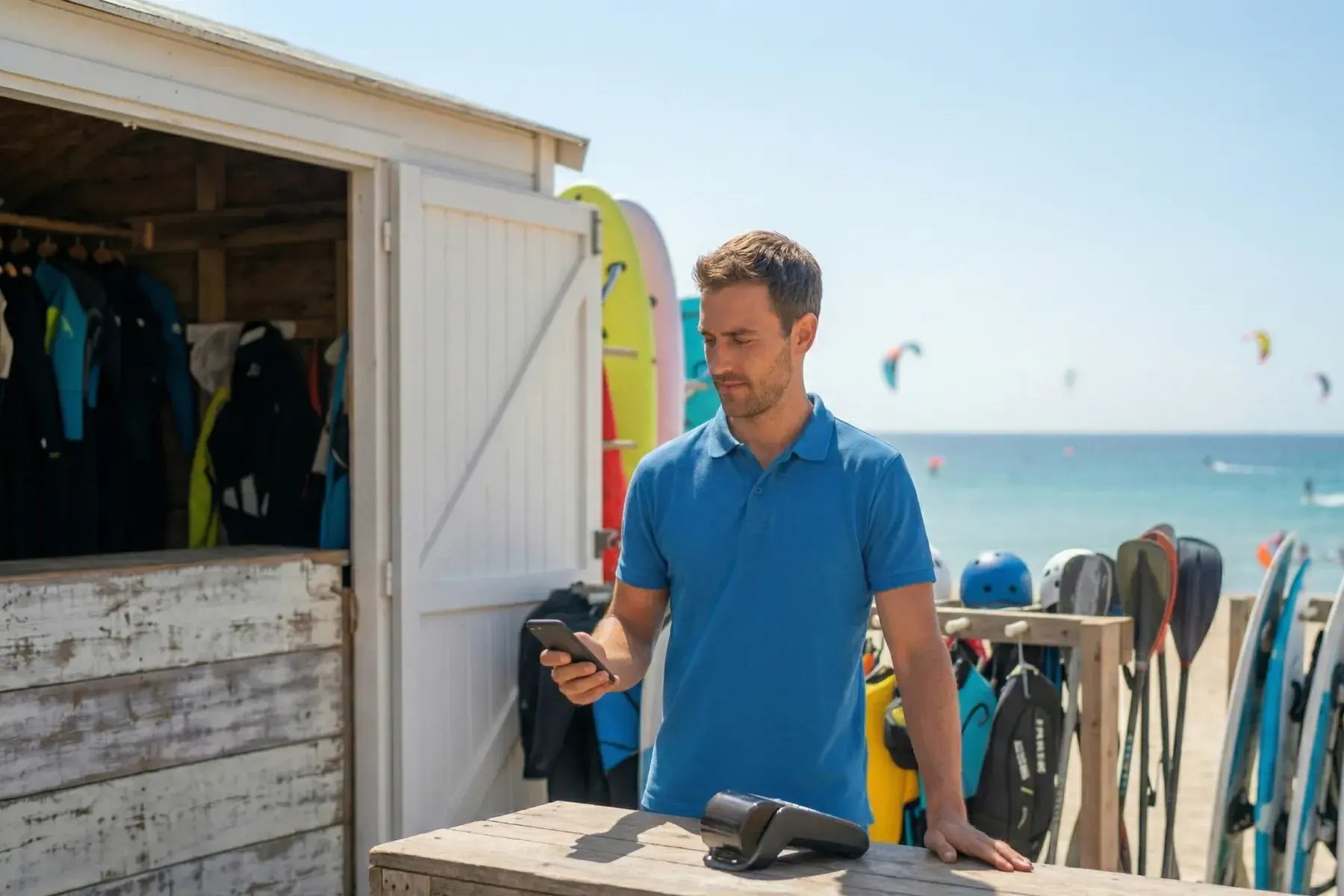
Register walk-ins and enquiries in seconds, take payments on-site or on mobile, and keep your calendar and end-of-day totals consistent. Send payment links for deposits or balances so guests confirm faster and you spend less time chasing payments.

Check mark
POS shift management.
Check mark
Mobile POS and multiPOS.
Check mark
Payment links for remote bookings.
Check mark
Payment authorisation—card-on-file—to charge later.
Staff member using Bloowatch POS and payment tools to close sales and take payments from anywhere
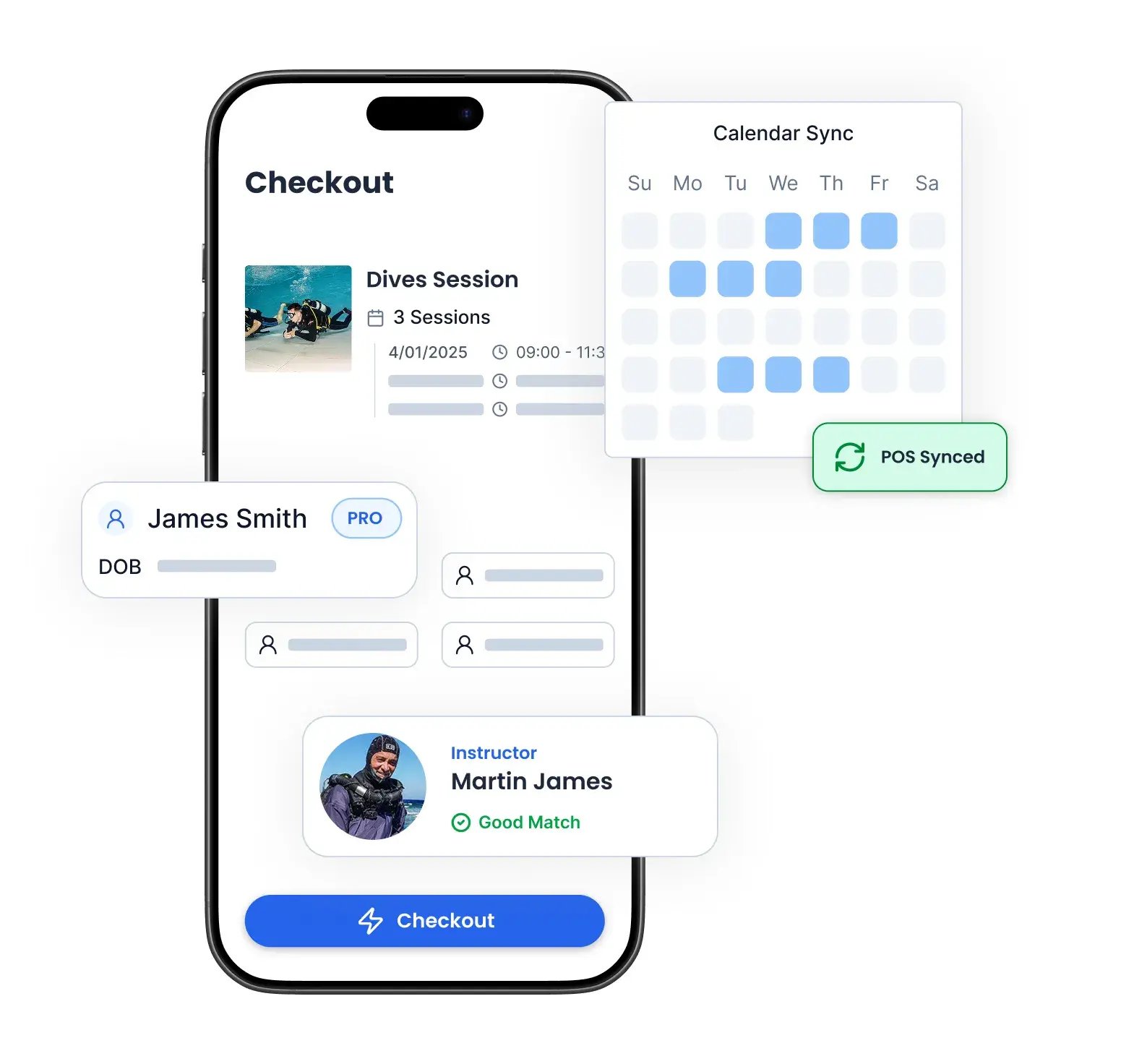
Bloowatch mobile checkout showing online booking, calendar selection, and fast payment confirmation

Online Booking & Checkout

A mobile-first booking flow built for activities—sessions, courses, packs, and rentals—with capacity rules and options that match real operations. Take direct online bookings with 0% Bloowatch commission.

Check mark
Activity-specific checkout (courses, packs, rentals).
Check mark
0% Bloowatch commission on direct sales.
Check mark
Mobile-first, high conversion design.
Check mark
Promo codes.
 

Agents & Resellers

Let trusted partners sell your activities while your availability stays accurate and your commissions stay clear. Keep control of what they can sell, track performance, and export clean totals for payouts.
Check mark
Tracked partner booking links / ecommerce.
Check mark
Commission rules + clean exports.
Check mark
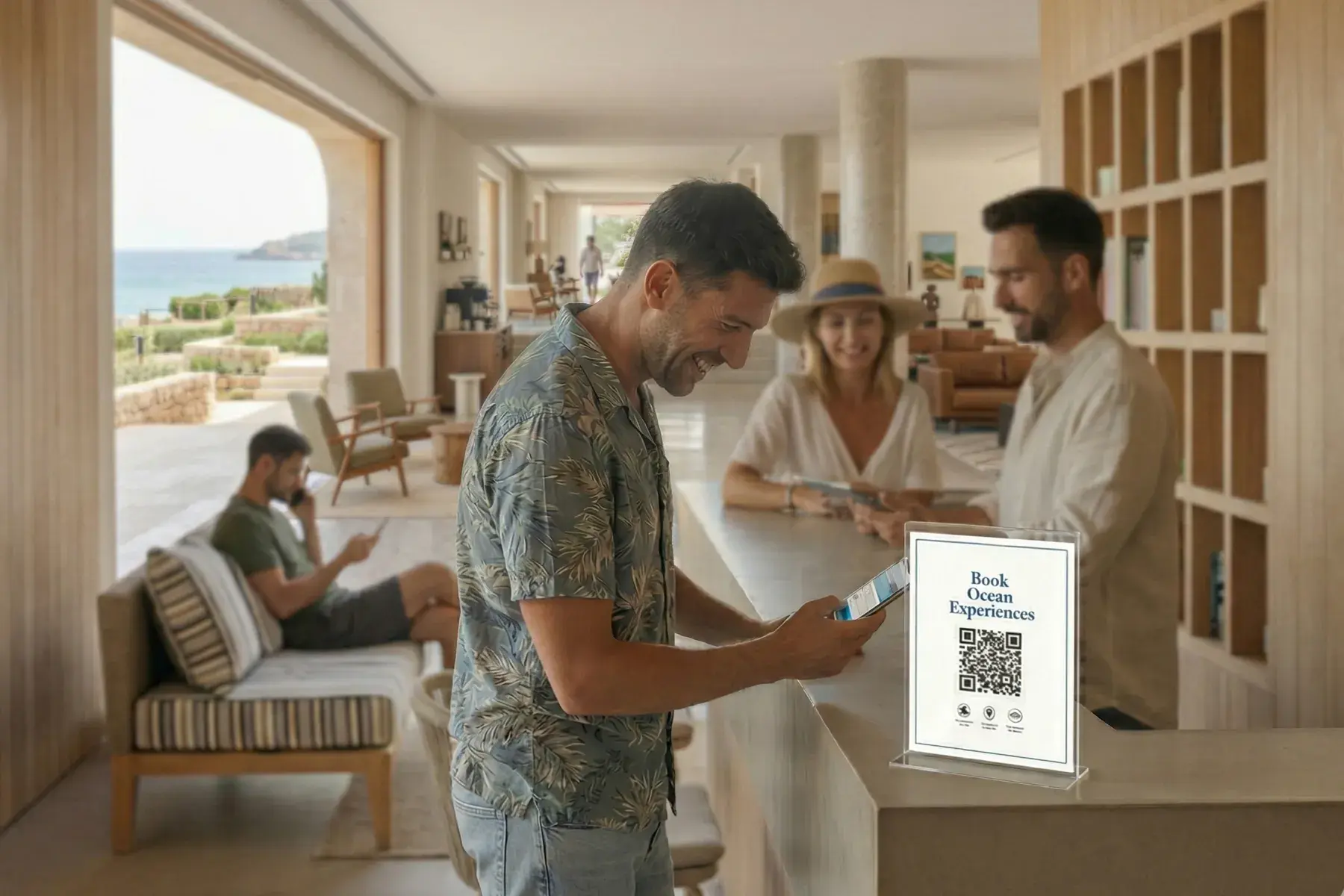
Partner QR codes for instant bookings.
Check mark
Availability stays in sync to avoid conflicts.
Partners at a reception desk using Bloowatch to manage agent and reseller bookings with clear tracking and confirmation.
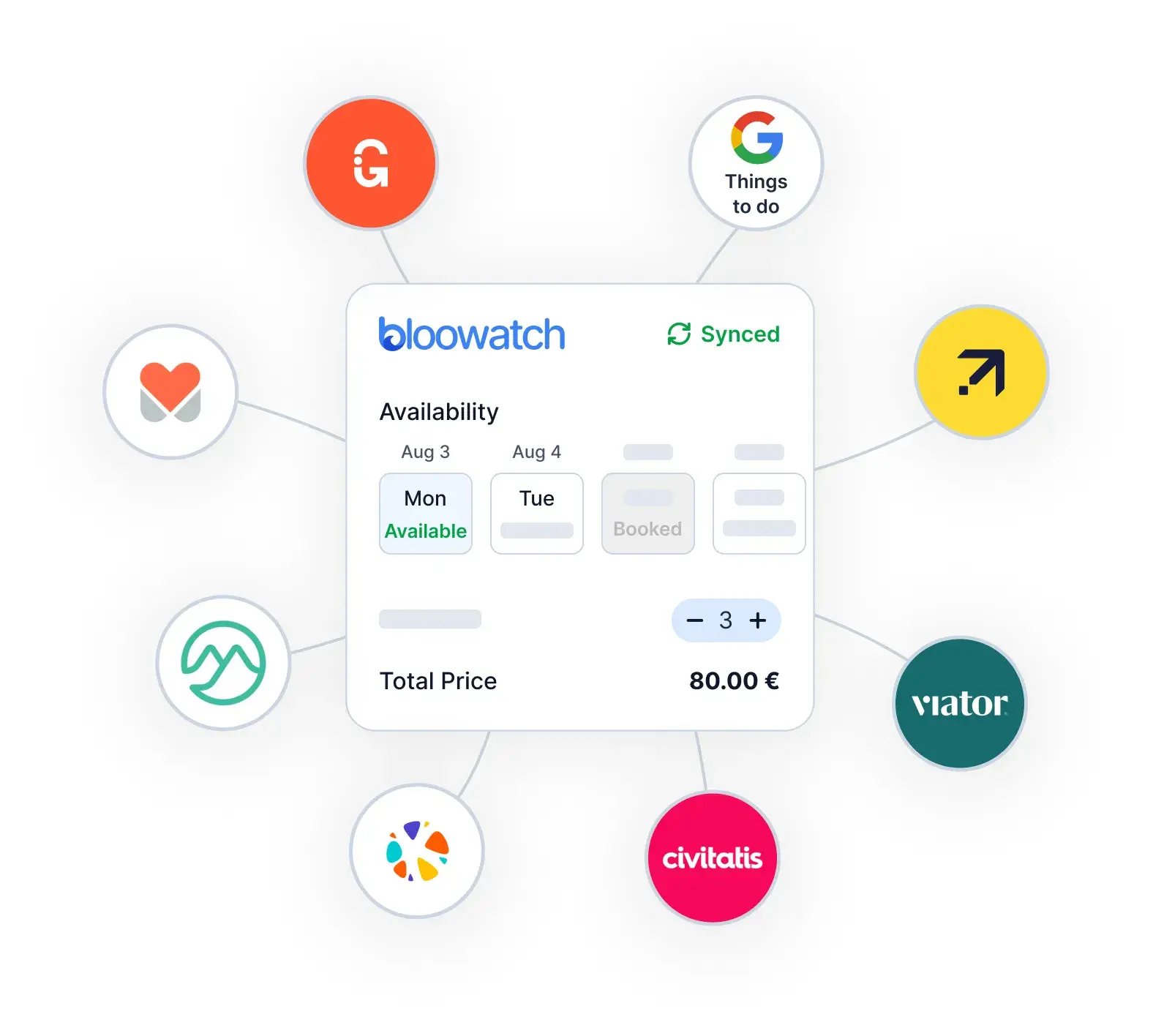
Bloowatch channel manager connecting live availability and bookings across OTAs and direct sales channels.

OTA Channel Manager — Connect to the OTAs that matter

Sync availability and import reservations from leading activity marketplaces—so you can grow distribution without manual re-entry or calendar conflicts..

Check mark
GetYourGuide, Viator, Google ThingsToDo, Civitatis, Musement, Manawa, Klook... and many more.
Check mark
Live availability sync to prevent conflicts.
Check mark
OTA bookings imported into your calendar.

Frequently Asked Questions

Can I take payment remotely (payment links)?

Yes. Create a payment link for a deposit, balance, add-on, or full payment and share it by email, SMS, or WhatsApp. Once it’s paid, it stays tied to the same booking and totals—no manual reconciliation.

Can I take a deposit now and the rest later?

Yes. Collect a deposit to confirm the booking, then send a second payment link for the remaining balance when it makes sense (for example, closer to the date or after the guest confirms final details). You can also take the remaining payment on-site at check-in.

What’s the best way to reduce no-shows?

Start with deposits. A small upfront payment is the simplest way to turn “maybe” enquiries into committed bookings and reduce last-minute drop-offs. For higher-risk cases, payment authorisation (card-on-file) adds a second option when a deposit isn’t ideal.

What is “payment authorisation” (card-on-file) and when should I use it?

It’s a way for guests to securely share card details and give permission for you to charge later if needed. Use it when you want commitment without taking money immediately (high cancellation risk from the center for ex.)

Do you take a commission on my direct online sales?

No—Bloowatch doesn’t take a commission on direct sales.We select and connect the best and most affordable payment gateways that will charge a small fee, but Bloowatch won't add any software fee.

Do online bookings stay in sync with POS and other sale channels?

Yes. All channels share one live availability source, so when you sell at the desk (or on mobile), the online checkout updates—and vice versa. That keeps double-bookings and “sold out but still selling” situations to a minimum.

Can I sell through agents/resellers without losing control of availability and commissions?

Yes. Give partners controlled access to sell what you choose, while availability stays aligned with your main calendar. Commissions are tracked per partner, and you can export clean reports for reconciliation and payouts.

Do you connect to OTAs like GetYourGuide and Viator?

Yes—an OTA Channel Manager is planned (coming soon). The goal is live availability sync and automatic import of OTA reservations into your calendar, including connectors for marketplaces like GetYourGuide, Viator, Google Things To Do, Civitatis, Musement, Manawa, and Klook.


Start Streamlining Your Activity Center Today

Bring every sales channel into one system—POS, online checkout, and partner sales—so you can convert more enquiries, stay in control, and keep availability accurate.

See Demo